
If you’ve created a website or used platforms like WordPress, chances are you’ve come across the term plugin. But what is a plugin, really? This article will answer that and go further, exploring how plugins work, their benefits, risks, and new trends—like incorporating artificial intelligence.
What is a Plugin?
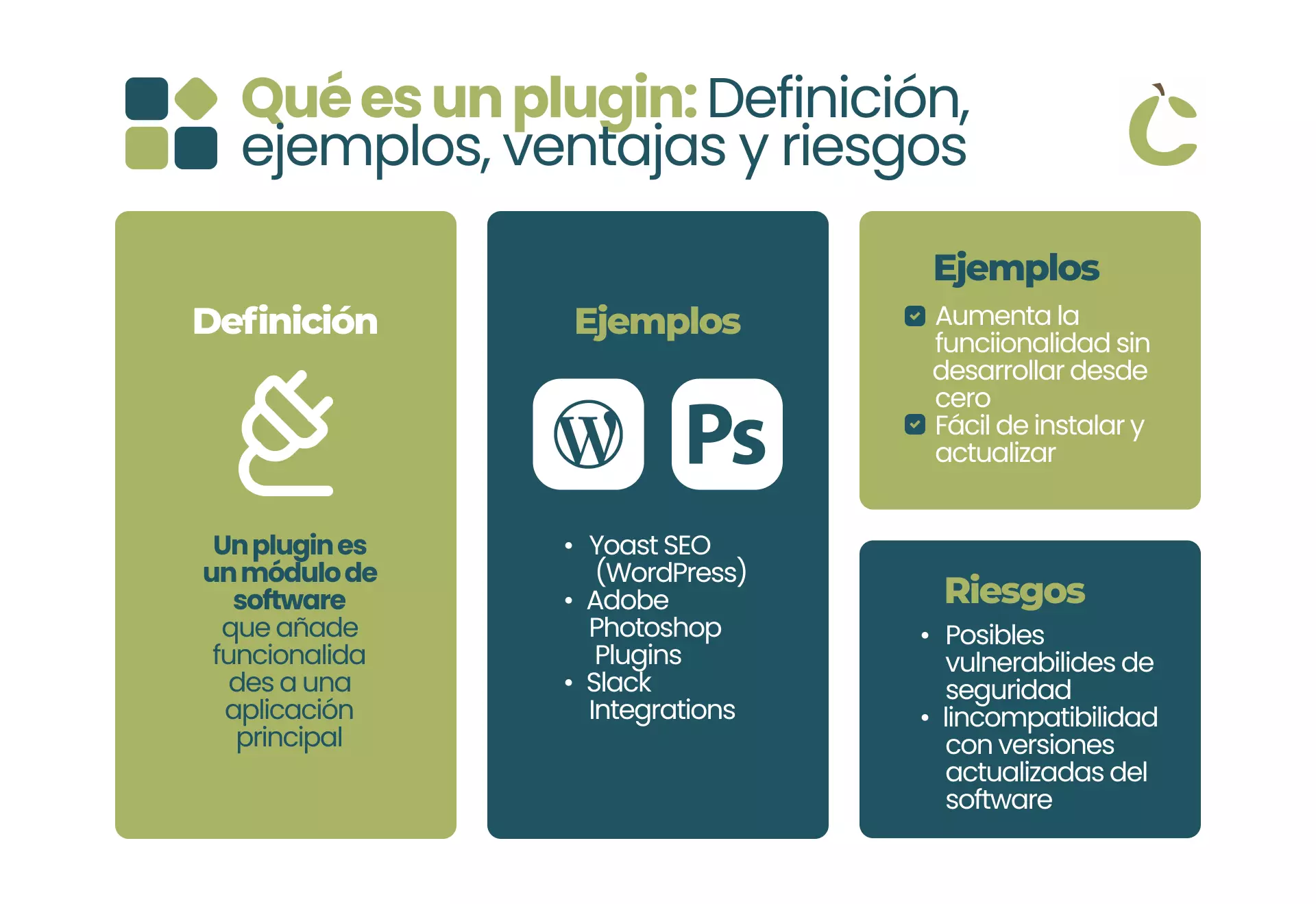
A plugin is a small software component that adds a specific feature or function to an existing computer program or website. Think of it like an add-on or extension: you don’t have to change the core system to enhance it—you simply ‘plug in’ new capabilities.
Example:
Adding a contact form to your site?
Use a plugin.
Want your photos to look sharper?
Try an image optimization plugin.
Need to optimize for search engines (SEO)?
Install an SEO plugin.
Plugins make websites flexible and customizable—you choose only what you need.
How Do Plugins Work?
Most plugins are easy to install and activate. In website platforms like WordPress, you simply:
- Browse the plugin directory
- Click “Install”
- Activate the plugin
The plugin then runs alongside your site, adding its new features. Some plugins require extra configuration, but most are beginner-friendly.
Advantages of Using Plugins
- Save time: Add features instantly, no coding required.
- Stay up to date: Developers frequently update plugins with new options or security patches.
- Expand functionality: From SEO to ecommerce, to backups—plugins can do almost anything.
- Affordable: Many plugins are free or low-cost.
Are There Risks In Using Plugins?
Yes, there are a few things to watch for:
- Too many plugins can slow down your website.
- Outdated or unsupported plugins may have security vulnerabilities.
- Some plugins may conflict with others, leading to technical issues.
Tip: Always download plugins from trusted sources and update them regularly.
Popular Types of Website Plugins
- SEO plugins: Improve search rankings
- Security plugins: Protect your site from hackers
- Social media plugins: Integrate sharing buttons
- Backup plugins: Keep your data safe
- AI plugins: Enhance content, personalize user experience
The Rise of AI Plugins
Artificial intelligence is transforming website plugins. With AI-powered plugins, you can:
- Generate content automatically
- Analyze visitor behavior and personalize page layouts
- Offer chatbots for customer support
- Automate SEO updates
- Staying updated on the latest AI plugins can give your site a competitive edge.
How to Choose the Right Plugin?
- Purpose: What problem does it solve?
- Popularity: Are there good reviews?
- Updates: Is it regularly maintained?
- Compatibility: Will it work with your site’s version?
- Support: Is there available help?
Always test plugins on a staging site before adding them to your main website, especially if it’s a business or ecommerce site.
Frequently Asked Questions (FAQs)
Q: Are plugins safe to use?
A: Most are safe, but always choose plugins from reputable sources and keep them updated.
Q: Can plugins slow down a website?
A: Yes, especially if you install too many. Use only what you need.
Q: What are examples of popular plugins?
A: Yoast SEO, Akismet Anti-Spam, Elementor, WP Rocket, and ChatGPT for WordPress.
Q: Do I need to know coding to use plugins?
A: No—most plugins are designed for beginners with simple installation steps.
Q: How is AI changing plugins?
A: AI plugins automate tasks like content creation and user personalization, making sites smarter and more engaging.
The Plugin Advantage: Tiny Tools, Big Impact for Your Website
A plugin is like a Swiss Army knife for your website small, powerful, and endlessly versatile. Use them wisely to enhance your site’s functionality, improve SEO, and leverage new trends like artificial intelligence.
If you’d like to know more about plugins or have specific questions, let us know in the comments! We’re here to help and eager to continue the conversation.
Would you like a tailored recommendation for your business or niche? Just tell me your site needs or industry, and I can personalize this guide even further.